QR BookingFor massage, beauty, nail & laser shops
Clients book themselves. No commission, ever.
Clients scan the QR code in your shop and book on their phone, in English or Chinese. A text confirms it, and the day before they reply Y. A$79 a month, all in.
No cardNo commissionCancel any time
The day before
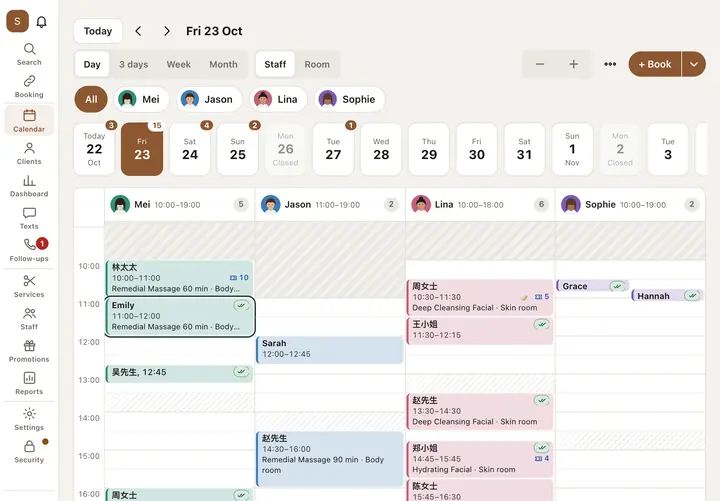
Confirmed: ticked on your calendar
How it works
How a booking happens
Four steps. You don't do any of them.
- 1
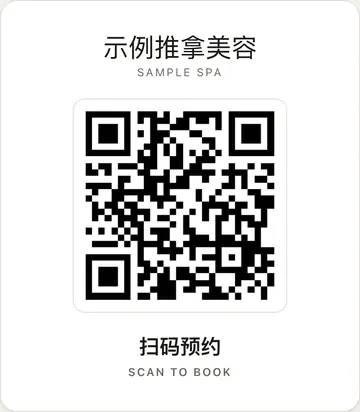
She scans your QR code
Print the poster from the app. Put it on the counter, the door or the mirror.
- 2
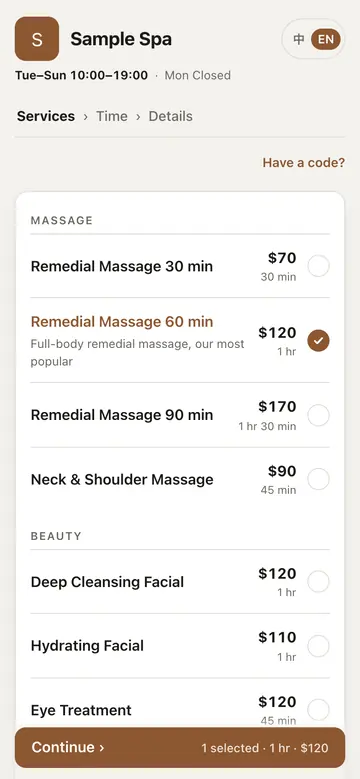
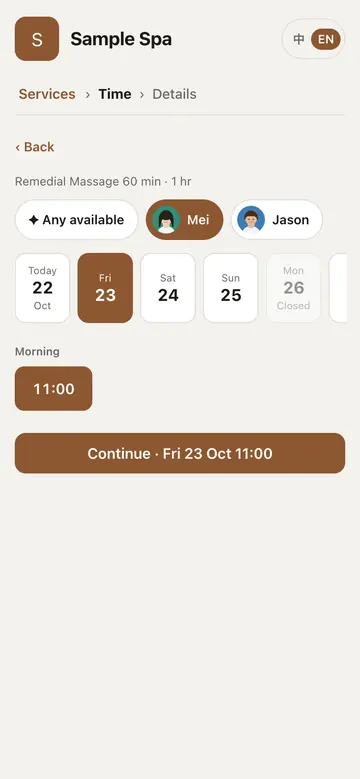
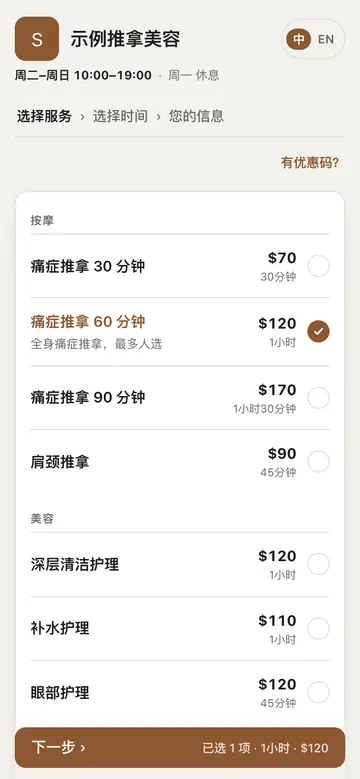
She picks a service and a time, in her language
No app to download, no account. English or Chinese, her choice.
- 3
She gets a text, and replies Y
A text confirms the booking straight away. The day before, she's asked again: Y to confirm, N to cancel.
Sent when she books
Sample Spa: You're booked for Remedial Massage 60 min on Fri 23 Oct at 11am with Mei. To change or cancel: https://booking-saas.fly.dev/ K7M2QX9P The day before
Sample Spa: Your Remedial Massage 60 min is tomorrow at 11am. Reply Y to confirm or N to cancel. To change: https://booking-saas.fly.dev/ K7M2QX9P Y - 4
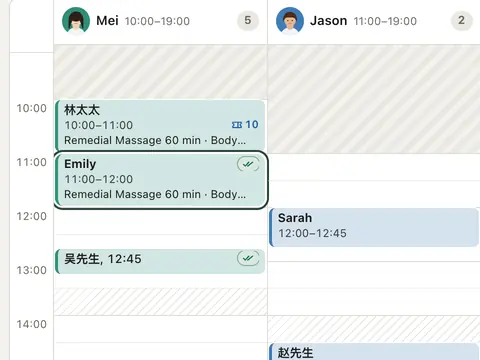
It's on your calendar, confirmed
Her Y ticks the booking. No reply? She goes on your “To call” list.
No commission
Keep what you earn.
We charge A$79 a month, flat. We never take a cut of a booking, however the client found you.
Two massages pay for the month.
English and Chinese
Each client gets her texts in her language.
The booking page, the texts and your app all come in English and Chinese. A client's texts come in the language she booked in.
Switch from Fresha
Bring your clients and services with you.
Clients, services and past totals come over; photos and forms stay in Fresha. Future bookings are entered again; past visits come over as history.
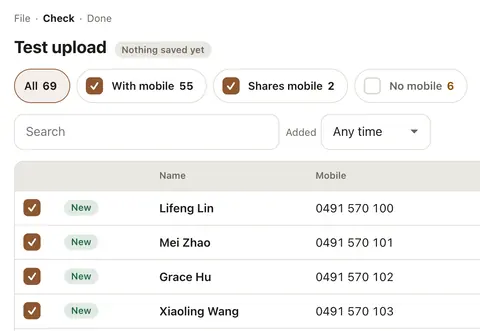
A Fresha file of 12,721 clients imports in one go (our test).
- 1Export your clients from Fresha
Fresha exports your client list as Excel or CSV.
- 2Import clients
Drop the file in, check the table, save. Mobiles, notes and past totals come too, and the whole import can be undone for 24 hours.
- 3Import your services
Fresha's price list PDF, or a CSV: names, prices, durations and categories.
- 4Print the QR poster
Counter, door or mirror. One scan and they're booking.
- Or we set it up for you: A$499 once
We import your clients and services, set up your staff and print your poster.
Features
Everything in the box.
One price covers all of it.
Calendar
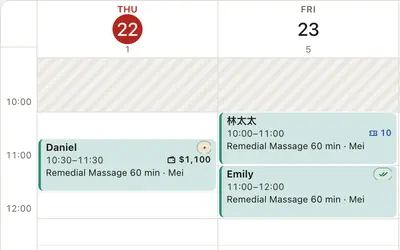
Day, week and month. Drag a booking to move it.
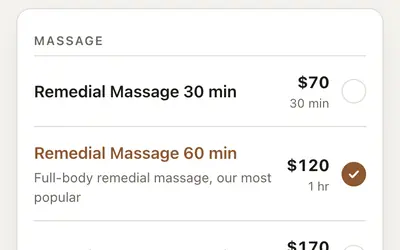
Online booking
Your booking page and QR code take bookings at any hour.
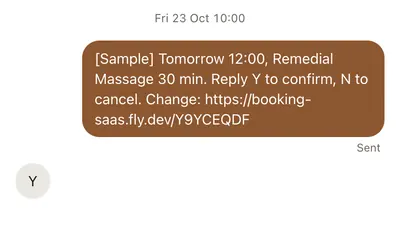
Texts and reminders
Confirmations, the day-before Y, and the “To call” list.
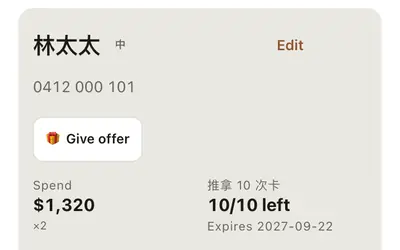
Packages and stored value
Session cards and prepaid balances, used at checkout.
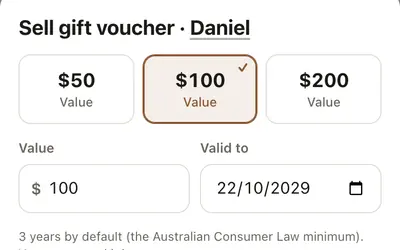
Gift vouchers
Sell them at the desk; clients spend them at checkout.
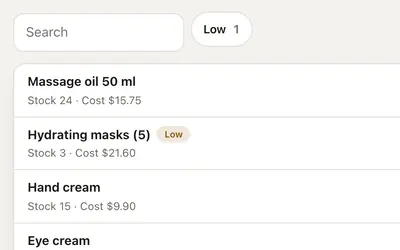
Retail and stock
Sell products at checkout. Stock counts itself down, and you hear when it runs low.
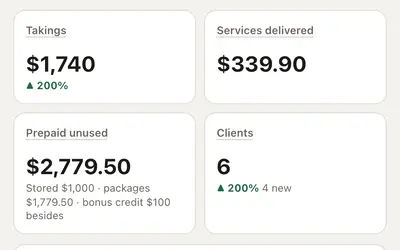
Reports and GST
Takings, GST, prepaid balances, and a daily cash-up.
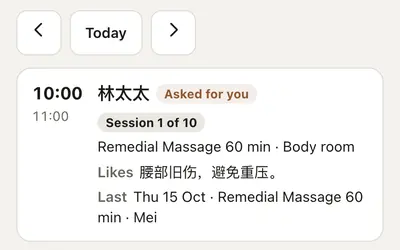
Staff app
Each staff member sees their own bookings on their phone.
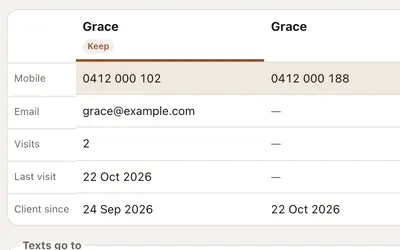
Imports and duplicates
Bring clients over from Fresha, and merge the doubles in one go.
Pricing
One price. Everything in.
No commission. No contract. 14 days free, no card.
- No commission on any booking
- No contract: cancel any time
- Prices in AUD. We're not registered for GST, so no GST is added
All-in
A$79/ month
Paid monthly. Pay A$790 a year and get 2 months free.
Start free · 14 days14 days free, no card. The trial includes 100 SMS parts.
- Unlimited staff and bookings
- Your booking page and QR poster
- 500 SMS parts a month, then A$10 per 100
- Packages, stored value, gift vouchers, retail and stock
- Reports, GST and a daily cash-up
- A staff app
- Bring your clients and services from Fresha
- English and Chinese, client by client
Once you choose a plan, it renews automatically until you cancel. Cancel any time; part-periods aren't refunded.
An SMS part is up to 160 characters, or 70 with Chinese. Our booking texts are written to fit in one part; a long text you write yourself can take 2–3.
Paying isn't open yet: when your trial ends, your shop keeps working. We'll email you before anything is charged.
Is my data mine, and can I export it?
Yes. Export your clients and sales any time, as CSV or Excel. Your shop's database is in Sydney.
Do my clients need an app?
No. They scan your QR code or tap your link and book in their phone's browser, in English or Chinese. No account: a name, a mobile and a 6-digit code by text.
What happens after 14 days?
Plans aren't open for payment yet. When your trial ends, your shop keeps working until they are. We'll email you before anything is charged, and with no card on file, nothing can be.
When do texts start?
Once we've checked your ABN and you've confirmed your own mobile with a code. Until then, texts go to your mobile only.
Can staff see client mobiles?
Not unless you allow it. The staff app shows their own bookings and the client's name; mobiles, emails and money stay hidden unless you turn mobiles on.
What about no-shows?
The day before, the client gets a text: Y to confirm, N to cancel. Anyone who doesn't reply lands on your “To call” list. Your cancellation policy is on the booking page, and the client ticks to agree to it.
Do I need new hardware?
No. It runs in the browser on the phone, iPad or computer you already have. Print the QR poster on any printer.
Who are you?
A small Australian business, building this for Australian shops. Questions: martintse.sc@gmail.com.